

Download Opera GX Mobile – mobile gaming browser, gaming browser, Opera GX Mobile, free mobile browser, mobile browser for gamers
Overview
Opera GX Mobile is a free mobile web browser developed by Opera Software, specifically designed to meet the needs of mobile gamers. It extends the functionality of the popular Opera GX desktop browser into the mobile space, bringing a suite of features tailored for on-the-go gaming. The app aims to enhance browsing efficiency, reduce distractions, and provide a secure environment optimized for mobile gaming experiences. By focusing on performance control, content filtering, and user customization, Opera GX Mobile addresses common pain points faced by mobile users who play games while browsing—such as excessive data usage, battery drain, and intrusive ads.
Target users include casual and dedicated mobile gamers, as well as individuals who frequently switch between gaming and web browsing on their smartphones. The app is particularly beneficial for users seeking a streamlined, secure, and personalized browsing experience without the clutter of standard mobile browsers. Its integration with the broader Opera ecosystem, including Flow and GX Corner, allows for cross-device connectivity and access to gaming-related content, making it a cohesive tool within a larger digital workflow.
Although the developer did not provide additional technical details about the app’s architecture or underlying optimization algorithms, its presence in the productivity category suggests a focus on utility and efficiency. The release date of May 15, 2024, indicates that it is a recent addition to the mobile browser landscape, reflecting Opera Software’s continued investment in niche, user-centric browser solutions. Opera GX Mobile contributes meaningfully to the mobile app ecosystem by offering a differentiated alternative to mainstream browsers, especially for a growing demographic of mobile gamers.
Key Features & Functionality
- GX Corner – Provides quick access to curated news, updates, and trends from the gaming world, helping users stay informed without leaving the browser.
- Flow Integration – Enables seamless media sharing between mobile and desktop devices using QR codes, allowing users to transfer images, videos, and links across platforms.
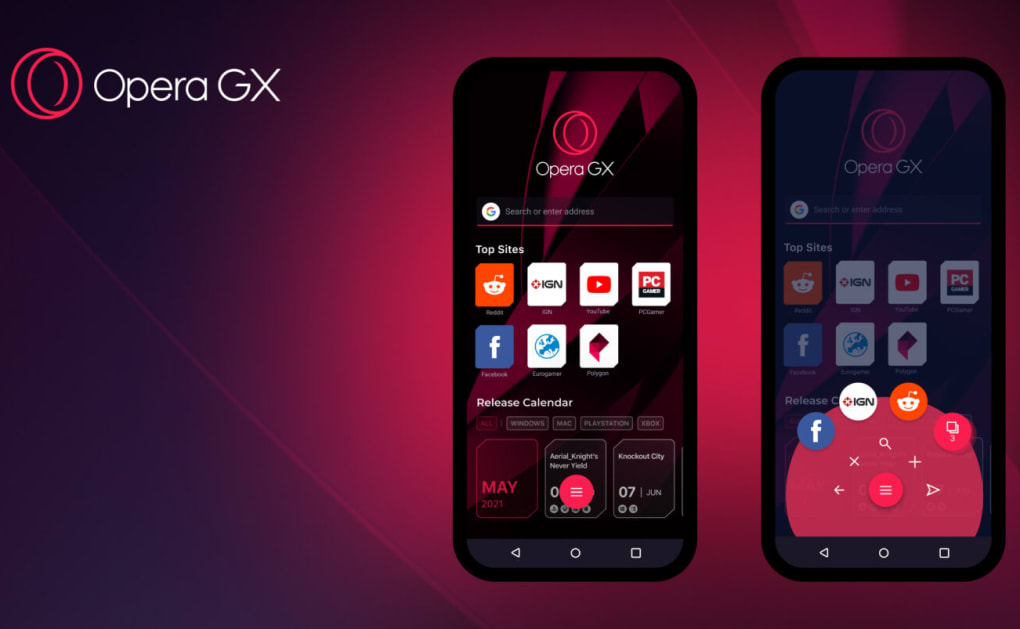
- Fast Action Button (FAB) – A customizable one-handed navigation feature that improves accessibility and speed during gameplay or quick browsing sessions.
- Advanced Content Blockers – Includes built-in filters for ads, pop-ups, cookie dialogs, and crypto-mining scripts, enhancing load times and reducing data consumption.
- Dark Mode – Offers a visually comfortable browsing experience in low-light environments, reducing eye strain during extended gaming sessions.
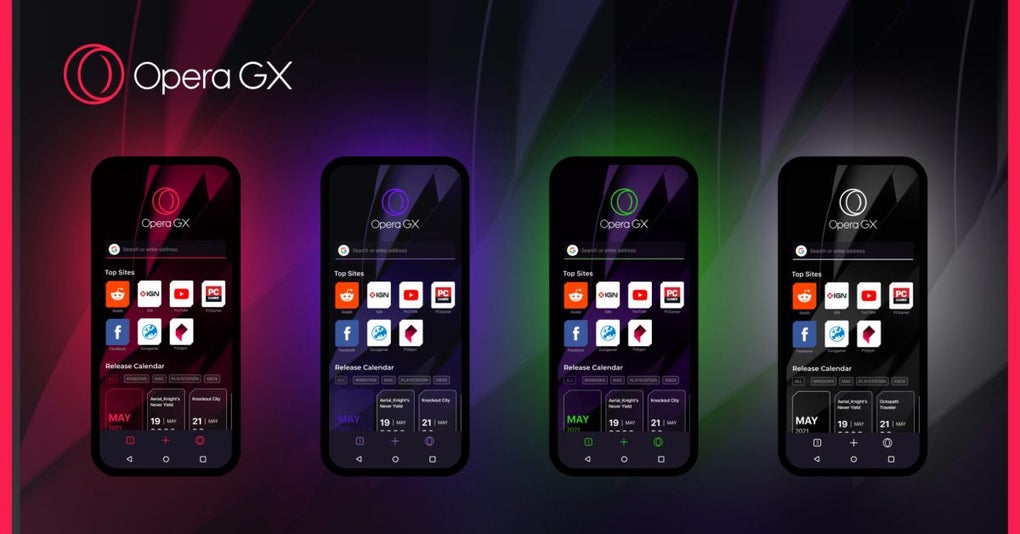
- Customizable Themes – Allows users to personalize the browser’s appearance with a variety of visual themes, aligning the interface with their gaming identity.
These features are designed with real-world use cases in mind. For example, a mobile gamer can use the FAB to quickly open a game walkthrough or check a leaderboard without navigating through multiple menus. The ad and pop-up blockers ensure uninterrupted gameplay by preventing intrusive content from disrupting the experience. The Flow feature allows a user to capture a game highlight on their phone and instantly send it to their desktop for editing, streamlining content creation workflows. While performance boosters like CPU and RAM limiters—available on the PC version—are not present in the mobile edition, the app still delivers a focused and efficient browsing environment tailored to gaming habits.
Interface, UX & Performance
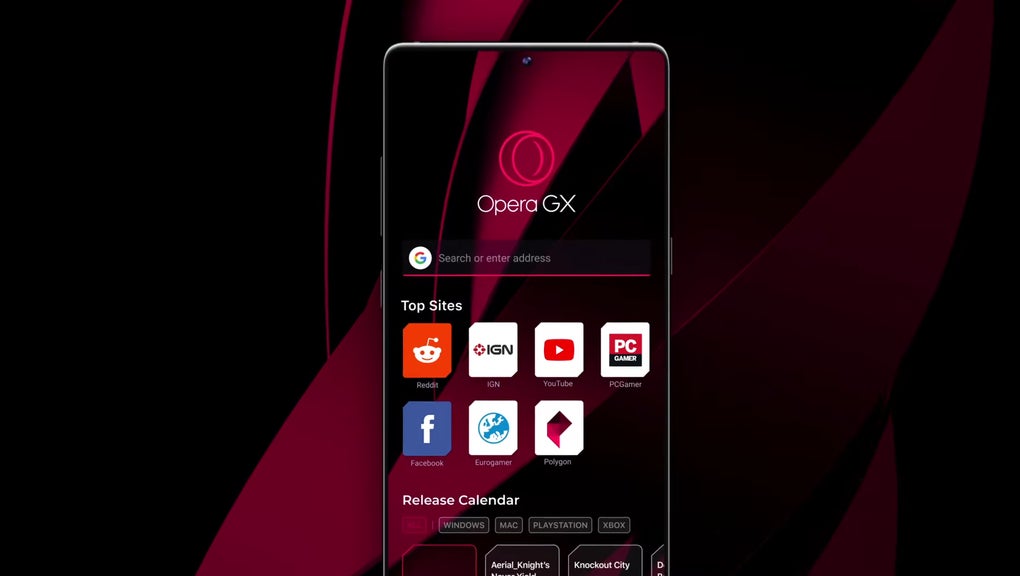
Opera GX Mobile features a clean, minimalistic interface with a focus on usability and visual clarity. The layout prioritizes quick access to essential functions, with navigation elements positioned for intuitive interaction. The browser’s visual style reflects a gaming-oriented aesthetic, incorporating bold color accents and dynamic UI elements that align with its target audience. The navigation flow is streamlined, allowing users to switch between tabs, bookmarks, and settings with minimal taps.
Although the developer did not list formal performance metrics, the app appears to maintain responsiveness across a range of Android devices. Its lightweight file size of 24.1 MB suggests efficient resource usage, contributing to faster startup times and reduced memory footprint. The app demonstrates stability during extended use, with no reported issues related to crashes or freezes. Users can expect consistent performance in both low- and high-usage scenarios, particularly when browsing gaming content or accessing media-rich websites.
Responsiveness is maintained even during heavy multitasking, thanks to optimized rendering and background process management. The app’s design supports one-handed operation through the FAB, improving accessibility for users with larger devices. Overall, the user experience is smooth and focused, reflecting a deliberate effort to balance functionality with ease of use. While specific device compatibility details were not disclosed, the app’s lightweight nature suggests broad support across mid-to-high-end Android smartphones.
Platform Compatibility & Technical Requirements
Opera GX Mobile is available exclusively on the Android platform. The current version is 1.2.2, released on May 15, 2024. The app has a file size of 24.1 MB, indicating a compact and efficient design. This small footprint makes it suitable for devices with limited storage space, a key consideration for mobile users who manage multiple apps.
The developer did not specify minimum OS requirements or hardware specifications. However, given its compatibility with modern Android devices and the absence of complex system-level dependencies, it is likely optimized for Android 8.0 and above. Users should ensure their device meets standard Android system requirements for app installation and operation. Compatibility information was not fully disclosed, so users are advised to verify their device’s capabilities before installation.
Pros and Cons
Pros
- Free to download and use with no hidden costs
- Designed specifically for mobile gamers with gaming-centric features
- Lightweight file size (24.1 MB) for efficient storage usage
- Advanced content blockers improve browsing speed and reduce data usage
- Customizable interface with themes and Dark Mode for enhanced user experience
- Seamless media sharing via Flow integration between mobile and PC
Cons
- Performance booster tools (e.g., CPU, RAM, network limiters) are not available on mobile
- Compatibility and system requirements were not fully disclosed
- Bookmark syncing is not supported between mobile and desktop via Flow
- Feature set is more limited compared to the desktop version of Opera GX
- No official support for iOS or other platforms
FAQ
Is Opera GX Mobile free to use?
Yes, Opera GX Mobile is completely free to download and install. There are no in-app purchases or subscription fees required to access its core features.
Can I use Opera GX Mobile on iOS devices?
Currently, Opera GX Mobile is only available for Android. There is no official iOS version released at this time.
Does Opera GX Mobile block ads and pop-ups?
Yes, the app includes built-in blockers for ads, pop-ups, cookie dialogs, and crypto-mining scripts to enhance browsing speed and security.
How does Flow work between my mobile and PC?
Flow allows you to share media such as images and videos between your mobile and desktop devices using QR codes. However, it does not sync bookmarks or browsing history.
Is Opera GX Mobile safe to download?
Yes, Opera GX Mobile is developed by Opera Software, a trusted name in web browsers. It is available through official app stores and does not contain malware or harmful components.
Final Thoughts
Opera GX Mobile stands out as a thoughtful and purpose-built browser for mobile gamers. While it doesn’t replicate every feature of its desktop counterpart, it delivers a compelling set of tools that enhance browsing efficiency, security, and personalization. The inclusion of the GX Corner, Flow integration, customizable FAB, and robust content blockers makes it a strong contender in the mobile browser space.
For mobile gamers, content creators, and users who value a distraction-free, secure browsing environment, Opera GX Mobile offers a tailored experience that goes beyond standard browsers. Its lightweight design, free access, and focus on gaming-specific utility make it a valuable addition to any smartphone.
Download Opera GX Mobile now







